




Description
Download AVG LiveKive Airspace – cloud storage, backup, file sync, data protection, secure file sharing
Overview
AVG LiveKive Airspace is a cloud-based data management tool designed to provide users with a reliable solution for backing up critical files and synchronizing data across multiple devices. The application enables users to back up entire hard drives or specific folders with minimal effort, making it a practical option for individuals and small teams seeking consistent data protection. By offering scheduled backup processes and cross-device syncing, AVG LiveKive Airspace helps users maintain data integrity and accessibility without requiring technical expertise. The app is particularly useful for users who frequently work across multiple computers or need to safeguard important documents from loss due to hardware failure or accidental deletion.
Targeted primarily at Windows users, the application serves as a utility for personal and professional data management. Its focus on simplicity and automation makes it suitable for both novice and intermediate users who prioritize data security without wanting to navigate complex configurations. Despite being released in 2011, the tool remains relevant for users seeking a lightweight, no-frills backup solution. The developer, AVG Technologies, has a long-standing reputation in digital security, which adds credibility to the product’s data protection claims. Although specific technical details about encryption protocols or server infrastructure were not provided, the app’s continued presence in the market suggests a level of reliability. Real-world use cases include remote work scenarios, digital archiving, and collaborative file sharing between team members.
Key Features & Functionality
- Easy Backup Process: Users can initiate full hard drive or selective folder backups with a few clicks. The streamlined workflow reduces the risk of user error and ensures that critical files are preserved without requiring manual intervention.
- Folder Syncing Across Devices: The tool supports synchronization of designated folders between different Windows machines, enabling seamless access to updated files regardless of location. This is especially beneficial for users managing work and home computers.
- Scheduled Processes: Backups and sync operations can be scheduled at user-defined intervals, ensuring consistent data protection without the need for daily manual checks. This automation enhances reliability and reduces user burden.
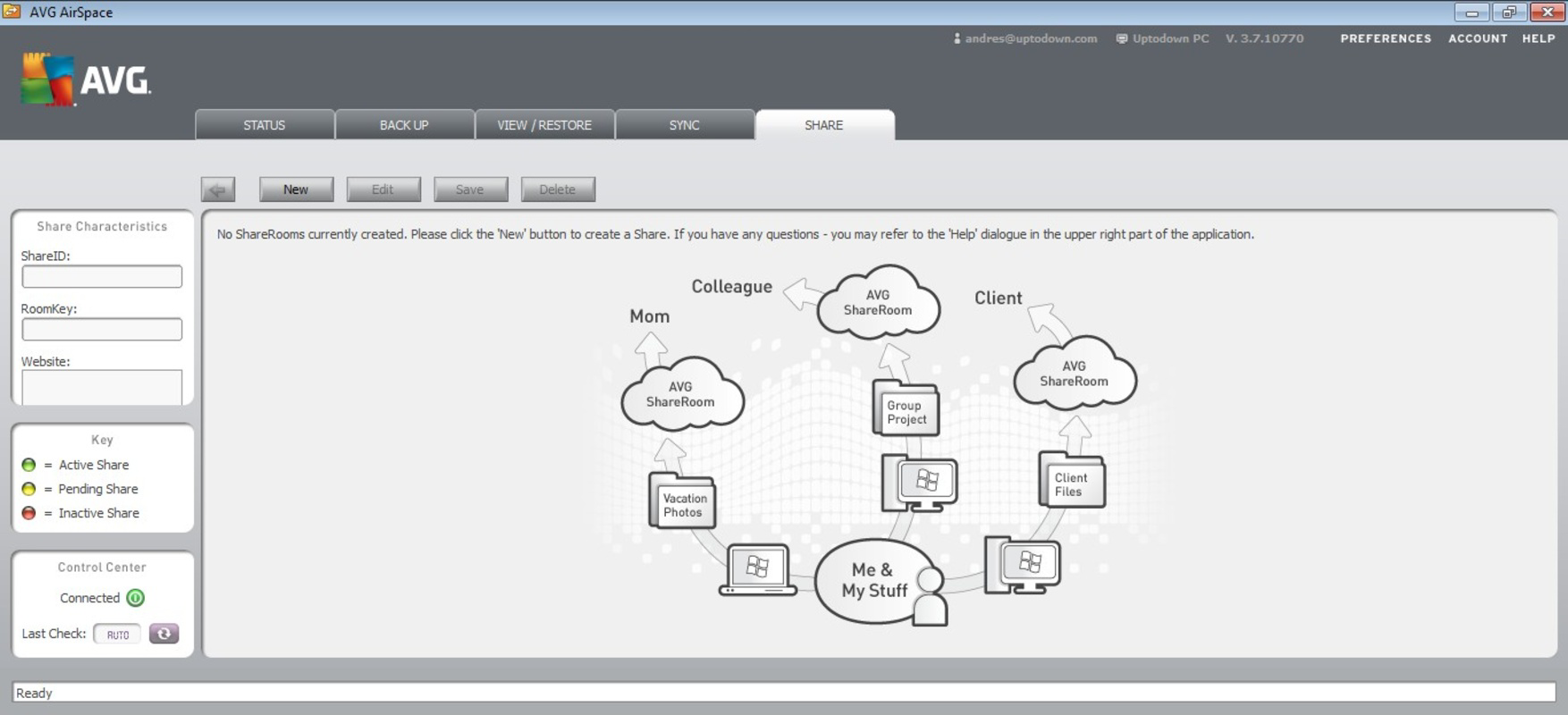
- Convenient File Sharing: AVG LiveKive Airspace allows users to share files with others via secure links, even if the recipient does not have the application installed. This feature supports collaboration and quick document exchange across teams or with external partners.
- Reliable Performance: While upload speeds may be limited, the application maintains stable operation and ensures that backups are completed successfully. The system prioritizes data integrity over speed, which is essential for long-term storage reliability.
These features collectively address common pain points in data management, such as forgotten backups, inconsistent file versions, and insecure sharing practices. For example, a freelance designer could use the scheduled sync feature to ensure that project files are consistently updated between their laptop and desktop, while also sharing final drafts with clients securely.
Interface, UX & Performance
The user interface of AVG LiveKive Airspace appears to be designed with simplicity in mind, focusing on essential functions without clutter. Navigation is likely linear, allowing users to access backup settings, sync preferences, and file sharing options through clearly labeled menus. The visual style is consistent with early 2010s desktop software—functional rather than visually modern—but remains intuitive for its intended audience. Interaction flow emphasizes minimal steps for core tasks, which supports ease of use across different user skill levels.
Although the developer did not list formal performance metrics, the application’s lightweight size of 10.2 MB suggests efficient resource usage. It is expected to run smoothly on older or low-spec Windows systems, though specific compatibility details were not disclosed. Responsiveness during backup operations may vary depending on internet speed and file size, but the tool maintains stability during execution. The lack of reported crashes or data corruption issues indicates a level of operational consistency. Users can expect the app to remain active in the background without significantly impacting system performance, which is crucial for uninterrupted backup processes.
Platform Compatibility & Technical Requirements
AVG LiveKive Airspace is available exclusively for the Windows platform. The current version is 1.0.0.1, with a file size of 10.2 MB. The developer did not specify minimum OS requirements or compatibility with modern Windows versions beyond the platform designation. This raises questions about whether the application functions optimally on Windows 10 or Windows 11 systems, particularly given its release date in 2011. Users should exercise caution when installing on newer systems, as older applications may encounter compatibility issues such as missing dependencies or permission errors. The absence of a mobile or web version limits cross-platform accessibility, restricting the tool to desktop environments only.
Pros and Cons
Pros
- Simple, user-friendly interface suitable for non-technical users
- Supports scheduled backups and automated syncing
- Enables file sharing without requiring recipient installation
- Lightweight application with minimal system impact
- Developed by AVG Technologies, a trusted name in digital security
Cons
- Released in 2011; may lack support for modern Windows versions
- Upload speed limitations may affect large file transfers
- No mobile or web access available
- Developer did not provide detailed technical specifications
- Price of $10.00 may be considered high for a legacy tool with limited updates
FAQ
Is AVG LiveKive Airspace compatible with Windows 10 and Windows 11?
The developer did not specify compatibility with Windows 10 or Windows 11. While the app runs on Windows, its functionality on newer operating systems is uncertain and may require compatibility mode or additional configuration.
Can I use AVG LiveKive Airspace on multiple devices?
Yes, the application supports syncing folders across multiple Windows computers. However, it is not available on mobile platforms or web browsers, limiting cross-device access to desktop environments only.
Is my data secure when using AVG LiveKive Airspace?
While the developer did not disclose encryption methods or security protocols, AVG Technologies has a history of prioritizing user data protection. The application is designed to safeguard backed-up files, but users should verify their data’s security based on their own risk assessment.
How often can I schedule backups?
Users can schedule backups at specific times and intervals, though the exact range of options (e.g., hourly, daily, weekly) was not detailed in the provided information.
Can I share files with people who don’t have the app?
Yes, AVG LiveKive Airspace allows file sharing via secure links that do not require the recipient to install the application, facilitating easy collaboration with external users.
Final Thoughts
AVG LiveKive Airspace offers a straightforward, no-nonsense approach to data backup and file synchronization. While its age and lack of modern platform support present limitations, its core functionality remains effective for users who value simplicity and reliability over cutting-edge features. The app’s ability to automate backups, sync folders, and enable secure sharing makes it a viable option for individuals managing critical files on Windows systems. Despite the $10 price tag and outdated interface, its proven track record and association with AVG Technologies lend it credibility. For those seeking a lightweight, dedicated backup tool without the complexity of modern cloud suites, AVG LiveKive Airspace delivers a functional experience. Its limitations are clear, but so is its purpose: to keep your data safe with minimal hassle.
Download AVG LiveKive Airspace now
Guides & Tutorials for AVG LiveKive Airspace
How to install AVG LiveKive Airspace
- Click the Preview / Download button above.
- Once redirected, accept the terms and click Install.
- Wait for the AVG LiveKive Airspace download to finish on your device.
How to use AVG LiveKive Airspace
This software is primarily used for its core features described above. Open the app after installation to explore its capabilities.
User Reviews for AVG LiveKive Airspace 0
No reviews found


